 Willow
Showcase
Real screenshots from Willow, and what it looks like running.
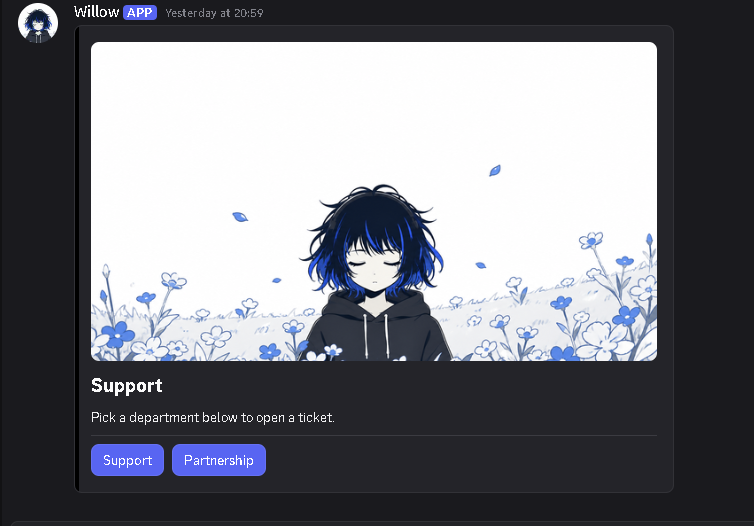
Tickets that members actually use
Post a clean panel with your own title, text, image and buttons. Members pick a department, like Support or Partnership, and Willow opens a private channel for them and your staff.
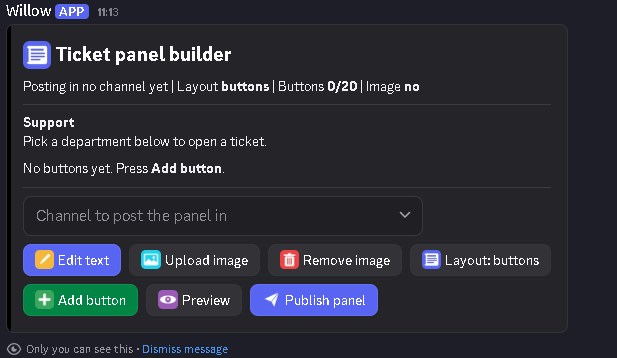
Build the panel without any code
Staff design the panel in a private builder that only they can see. Edit the text, upload an image, choose buttons or a menu, preview it, then publish to any channel.
You can add up to 20 buttons, so you can match every department in your community.
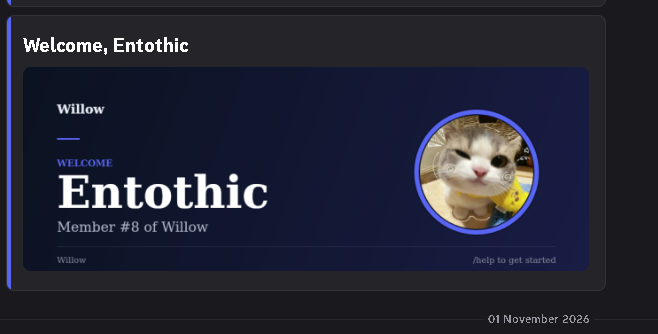
Welcome cards for new members
Every new member gets a card with their name, avatar and member number. Set your own welcome message and a starting role with one command.
/welcome setup
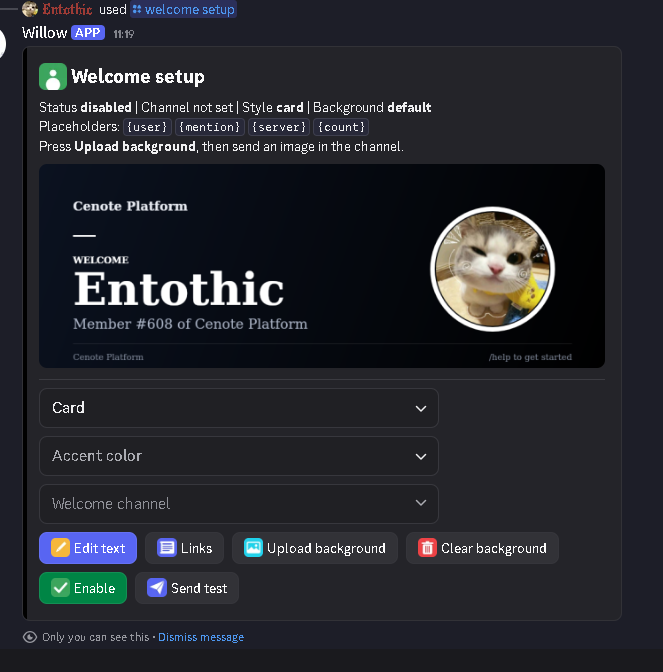
Set up welcome on one screen
Run /welcome setup and everything sits on one private panel: pick a card style and accent colour, choose the channel, edit the text and links, upload your own background and send a test before you switch it on.
Use placeholders like {user}, {mention}, {server} and {count} in your message.
Status at a glance
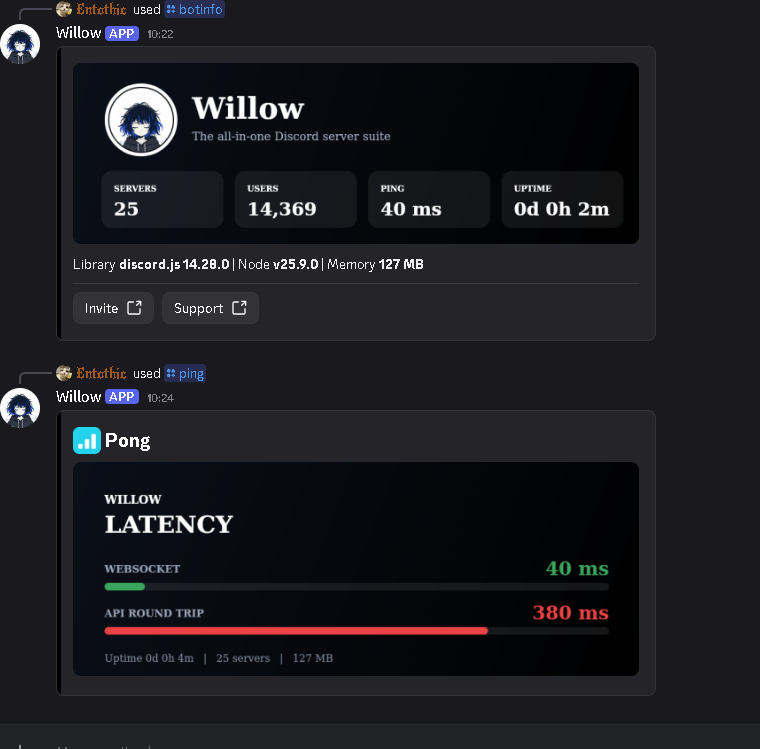
Members and staff can check the bot with clean cards. /botinfo shows servers, users, ping and uptime, with Invite and Support buttons. /ping shows websocket and API latency as simple bars.
Always in voice
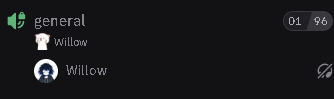
Willow can stay in a voice channel around the clock, so voice features are always ready. Use /vc join to bring it in and /vc status to check on it.
Running Willow
What the console prints when Willow starts, and what it logs when commands run.
$ npm install
up to date, audited 38 packages in 594ms

13 packages are looking for funding
  run `npm fund` for details

found 0 vulnerabilities

$ node index.js
█   █  █████  █      █       ███   █   █
█   █    █    █      █      █   █  █   █
█ █ █    █    █      █      █   █  █ █ █
██ ██    █    █      █      █   █  ██ ██
█   █  █████  █████  █████   ███   █   █
  Willow  //  The all-in-one Discord server suite
  discord.js 14.28.0  |  node v25.9.0  |  pid 7

  LOAD Welcome engine          [########################] 100%  READY
  LOAD Ticket panels           [########################] 100%  READY
  LOAD Automod filters         [########################] 100%  READY
  LOAD Antinuke watchdog       [########################] 100%  READY
  LOAD Voice 24/7 and status   [########################] 100%  READY
  LOAD Canvas renderer         [########################] 100%  READY
  LOAD Embed builder           [########################] 100%  READY
  LOAD Level tracker           [########################] 100%  READY
  LOAD Giveaway scheduler      [########################] 100%  READY
  LOAD Reminder service        [########################] 100%  READY

  OK    Logged in as Willow  |  shard 0/1
  OK    Registered 39 slash commands
  OK    Ready in 1.8s
Example startup log.
$ tail -f logs/commands.log
11:13:07  /ticket panel   panel builder opened (only you can see it)    ok 41ms
11:14:52  /ticket setup   category and staff role saved                 ok 63ms
11:20:19  /welcome setup  welcome card enabled in #welcome              ok 58ms
11:31:40  /warn           case #12 created, logged to #mod-log          ok 72ms
11:32:05  /purge          deleted 25 messages in #general               ok 190ms
11:40:33  /giveaway start giveaway started, 1 winner, ends in 24h       ok 47ms
11:41:10  /ping           Pong! gateway 41ms, api 87ms                  ok 12ms
Example command log: each line is the command, what it did and how long it took.
Ready to add Willow?
It takes about a minute, and you can set up everything with slash commands.